

Competing with NVIDIA Jetson Orin NX: A Review of the Domestic Robot Brain, RDK-S100
When discussing robot development platforms, NVIDIA's Jetson Orin series and Qualcomm's RB5 are currently the most popular in the industry. Leveraging NVIDIA's mature GPU technology and Qualcomm's high-performance advantages accumulated in the mobile SoC field, both can relatively smoothly migrate existing technology stacks to robotics platforms.
However, these companies are based overseas. So, are there equally outstanding domestic robot platforms? The answer is yes—and that's exactly what this article will introduce: the D-Robotics RDK-S100.
D-Robotics, originating from Horizon Robotics (known for its autonomous driving SoCs), currently focuses on R&D in robotics-related fields. In recent years, the company has successively launched chipset platforms like the X3 and X5, achieving mass production. The S100 chipset introduced here is their latest generation product, corresponding to Horizon Robotics' Journey 6 (J6) platform.
Similar to NVIDIA's Orin Nano module and Qualcomm's RB5 module, the S100 chipset is also supplied in a SIP (System in Package) module format, integrating key components like the S100 main control chip, DDR memory, and PMIC. The RDK-S100 is the official evaluation board built based on this SIP module.
This article will provide a brief overview of the RDK-S100 from both hardware and software aspects.
Hardware Introduction
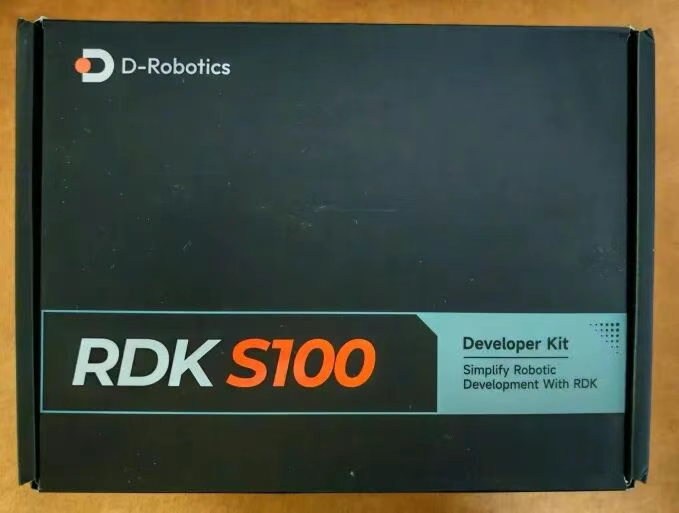
The outer packaging of the development board features the board's name on the front and text describing the hardware configuration on the back.
 The package includes one development board (with SIP module and heat sink already installed) and one power adapter.
Front and back views of the development board. Only the cover can be removed here; the heat sink is attached with thermal adhesive and cannot be disassembled.


Main Hardware Specifications:
- SoC: Horizon Robotics S100, featuring Hexa-core Cortex-A78AE, Quad-core Cortex-R52, Mali-G78AE GPU, and up to 80/128 TOPS BPU.
- Memory: 12GB, 96-bit LPDDR5, 6400Mbps.
- Storage: 64GB eMMC 5.1 (HS400), Samsung.
- Display: 1x HDMI, supporting up to 2560x1440@60Hz.
- Camera Interface: 3x 4-lane MIPI CSI-2 expansion ports.
- USB: 4x USB 3.0 Type-A; 1x USB 2.0 Type-C (for image flashing, MCU/Main Domain serial debugging).
- Debugging: 1x JTAG interface (Main & MCU Domain).
- Expansion: 1x 40-Pin GPIO (SPI, I2C, I2S, PWM, UART, etc.); 1x MCU interface expansion (for MCU Domain use).
- Wireless: AP6275S via PCIe 2.0, supporting WiFi 6 (5G/2.5G), BT 4.2.
- Ethernet: 2x RJ45 (1000M).
- Other: M.2 Key E (for WiFi & BT module).
- Power: Supports 12-20V DC input.
Interface layout diagram:

Interface Pin Descriptions:
| Pin | Function | Pin | Function |
|---|---|---|---|
| J1 | Main Board Power Input | J22 | MCU Domain 16-Pin Header |
| J2 | Main Board Function Connector | J23 | MCU Expansion Header (100-Pin) |
| J3 | RTC Battery Interface | J24 | 40-Pin Header |
| J8 | Fan Control Interface | J25 | Camera Expansion Board (100-Pin) |
| J15 | Main & MCU Domain JTAG Interface | K1 | Reset Button |
| J16 | Type-C Interface (Flashing, Main & MCU Domain Debug) | K2 | Sleep Button |
| J17 | M.2 Key E Interface | SW1 | Power Switch |
| J18 | M.2 Key M Interface | SW2 | Flashing Mode Switch |
| J19&J20 | 4x USB3.0 Type-A Interface | SW3&SW6 | Pin Function Switching DIP Switch |
| J21 | HDMI Interface | U43&U45 | 2x Gigabit RJ45 Network Port |
(Configuration: 12GB RAM + 64GB eMMC core module + baseboard)
The S100 is a highly integrated SoC, positioned as an "all-around performer". It not only features a high-performance 6-core Cortex-A78AE CPU and a top-tier Mali-G78AE GPU but also integrates a powerful BPU (AI processing unit).
Notably, the S100 incorporates a quad-core Cortex-R52 real-time processor. As one of the most advanced processors in the Cortex-R series, the R52 boasts excellent real-time responsiveness and high-level safety mechanisms. This means that in robotics applications, high real-time control tasks can be achieved without needing an external MCU.
As the official development board, the RDK-S100 fully extends the various interfaces of the S100, facilitating comprehensive evaluation of its functions by developers. Even when used directly as an AI box, the computing power provided by this platform is significantly higher than competitors in the same price range, representing highly cost-effective computing power.
Operating System
D-Robotics currently provides an Ubuntu system for the RDK-S100. The system source code requires signing an NDA to access. Individual users can only download the image.
Download resources:
OS Image Download
After decompression, you get a compressed file named `product.zip`, which contains the partition images. It needs to be decompressed.
After downloading the image, you also need to download the driver and the flashing tool.
Download and extract sunrise5_winusb.zip, then run install_driver.bat under sunrise5_winusb as an administrator. With the driver installed, toggle the switch indicated on the board upwards to put the development board into flashing mode.

At this point, connect the USB cable, and you should see a new device in the Device Manager, indicating successful driver installation.

Flashing Tool:
Download Flashing Tool
Download and extract, then open D-navigation.exe located in D-navigation-win32-x64. Configure according to the image below, then click "Start Upgrade".

A success message will be displayed upon completion.

After flashing, the development board will boot into the Ubuntu system. The USB port design on the board is quite clever: it uses a single USB hub to connect two USB-to-serial chips simultaneously, along with the S100's USB device interface. Therefore, connecting a standard USB cable between the PC and the development board allows you to see the boot logs from both the MCU and CPU ends. The baud rate is 921600.

Once the system is up, you can use the free command to view memory information and cat /proc/cpuinfo to view CPU information.


The system's GPU API is OpenCL. You can execute the following commands to view GPU information:

MCU print information can be viewed via the MCU serial port on the development board.

AI Function Test
The AI capability is a major feature of the RDK-S100. Let's test its AI function (YOLOv5x). Visual recognition is commonly used in robotics. The system comes with a camera image recognition demo. If using a USB camera, you can run the demo located in the /app/pydev_demo/09_usb_camera_sample/ directory.
Find a USB camera that supports the UVC protocol. After plugging the USB camera into the board's USB port, execute the following command to check if it's correctly recognized:

Then run:
You will see results similar to the image below, where multiple objects are recognized, their bounding boxes drawn, and confidence scores labeled.

While running this demo, you can use the following command to see the BPU utilization:

The temperature is around 45 degrees Celsius, which is basically the same as the idle temperature.

This indicates that the BPU is more than capable of handling this scenario; even running this recognition simultaneously on 6 camera streams would likely have sufficient performance.
Demo Execution Process Explained
-
Load Model: Load the specified
.hbmmodel file usinghbm_runtime.

2. Camera Init: Automatically scan devices and open the first available USB camera.

3. Pre-processing: Resize the BGR image to input resolution and convert to NV12 format.

4. Inference: Submit the input tensor using the run() method to the BPU.

5. Post-processing: Decode output, filter boxes, NMS deduplication, and restore coordinates.

6. Visualization: Draw results using OpenCV.

Conclusion
This article detailed the hardware composition of the RDK-S100, briefly explained the deployment and basic operations of the Ubuntu system on the platform, and demonstrated AI function testing based on the Ubuntu environment.
For those looking for a preliminary evaluation of the D-Robotics S100 platform from both hardware and software perspectives, the RDK-S100 is undoubtedly an ideal choice—this development board exposes most common interfaces and offers competitive pricing given its excellent computing performance.
Regarding the S100 itself, its powerful AI performance is almost unrivaled among domestic robotics and edge AI products in the same price range. While the SDK requires an NDA (unlike the open-source nature of NVIDIA Jetson), the raw performance per dollar is hard to beat.
Ready to test the RDK-S100?
As a partner of D-Robotics, Youyeetoo offers this board directly with global shipping.
Buy RDK-S100 Now